> ## Documentation Index
> Fetch the complete documentation index at: https://docs.erdo.ai/llms.txt
> Use this file to discover all available pages before exploring further.
# Introduction
> Erdo connects to your business data, answers questions, creates useful outputs, and runs repeatable work.
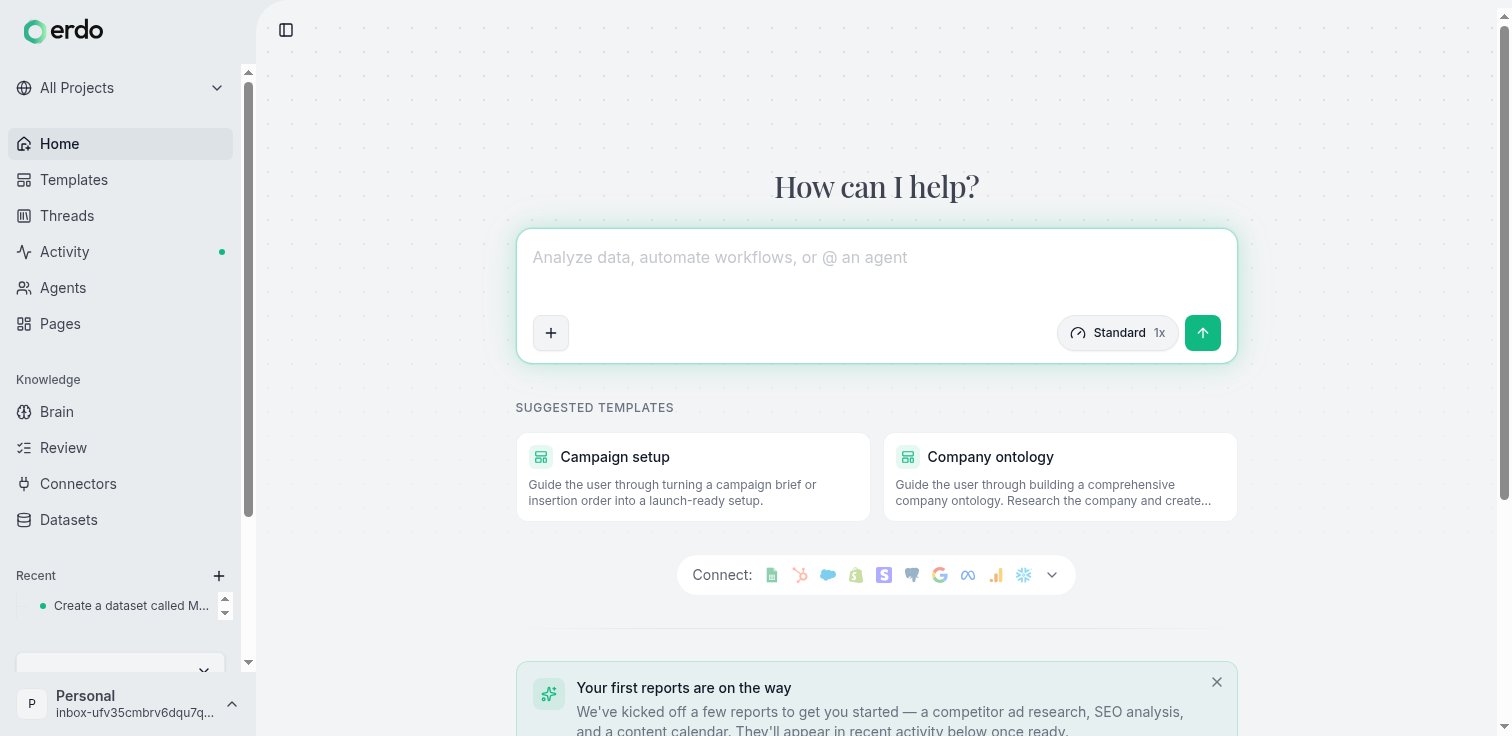
 Erdo is an AI workforce for your business. Ask it to investigate a problem,
analyse your data, build something useful, or run a repeatable process. Erdo
coordinates the right capabilities internally, shows you the result, and asks
before doing anything consequential.
## Two ways to start
Use a **conversation** when the work is open-ended: a question, investigation,
analysis, or one-off deliverable. Describe the outcome in plain language and
Erdo will work out the steps.
> "Pull last month's signups by plan, flag anything unusual, and build me a
> dashboard I can share with the team."
That request can connect to your data, run the analysis, and produce a live
[page](/pages) in the same conversation.
Use a **template** when the outcome has a defined flow. A template asks for the
missing brief and keeps the progress, outputs, blockers, and decisions visible
outside the conversation. This is useful for work such as a campaign launch or
lead engine that should not depend on following a long transcript.
## Return to the work
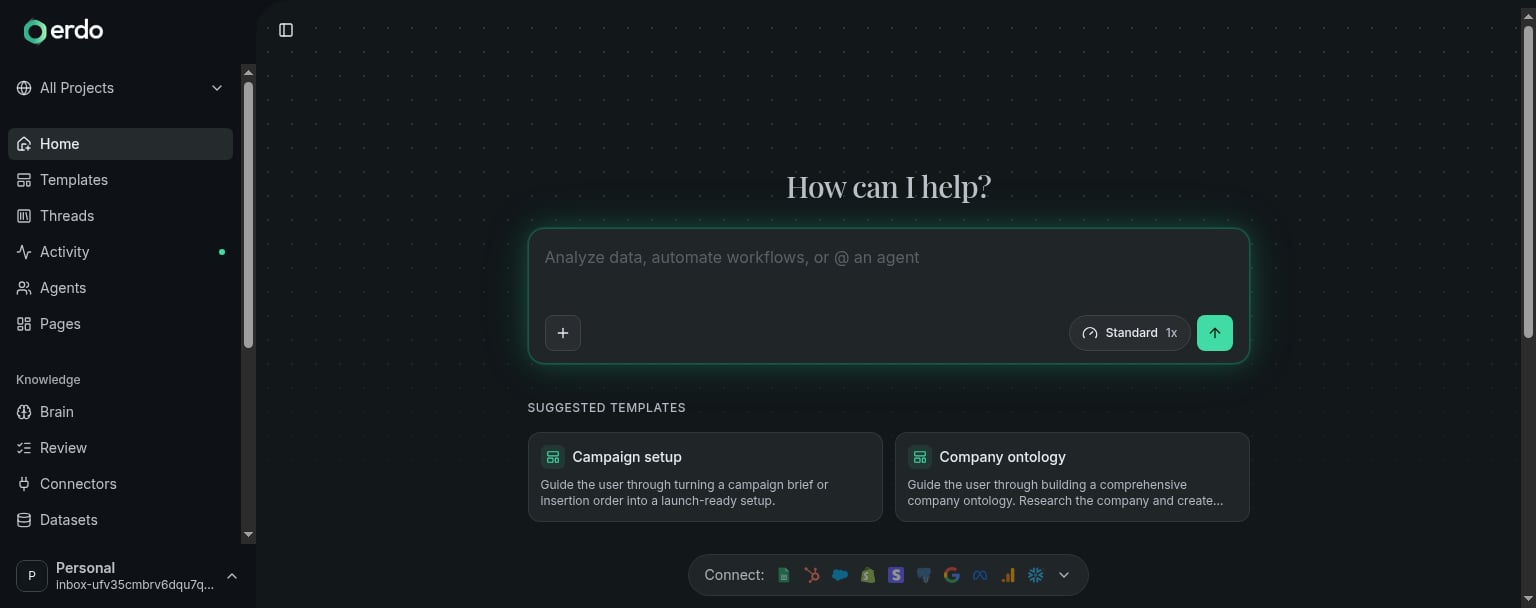
The sidebar keeps primary navigation direct and separates reusable setup:
* The project switcher at the top left changes the context for sustained work
and provides **New project** and **Manage projects** actions.
* **Home** starts or resumes work, **Activity** shows what changed and what needs
a decision, **Pages** holds durable outputs, and **Agents** holds persistent
workers your organisation builds and operates.
* **Setup** contains **Knowledge** for your business context and ontology, plus
**Data & connections** for datasets and connected systems.
Templates are offered on Home with a permanent **Browse all** link, and recent
conversations remain close at hand without becoming another top-level product area.
Important outputs do not have to remain buried in a conversation. [Pages](/pages)
are durable, shareable apps and dashboards. Pin the pages that define a project
so they stay on its home and in its sidebar.
## Key concepts
Start from a plain-language request or a template, then resume recent work.
See what changed, what is running, and what needs your decision.
Keep shared context, conversations, progress, and pinned outputs together.
Durable, shareable apps and dashboards connected to live data.
Persistent workers with their own instructions, knowledge, deployments, and activity.
Start defined outcomes with visible progress, outputs, and decisions.
Connect data and shape the reusable knowledge Erdo works from.
## Use Erdo anywhere
Erdo is not limited to the web app. Connect Claude, Cursor, or another MCP client
with the [MCP server](/mcp/overview), or drive Erdo from the [CLI](/cli).
Building software on Erdo? The [REST API](/api/overview) and the
[TypeScript](/ts-sdk/overview) / [Python](/sdk/invoke) SDKs live in the
**Developers** tab.
Connect a data source and get to a useful result in a few minutes.
Erdo is an AI workforce for your business. Ask it to investigate a problem,
analyse your data, build something useful, or run a repeatable process. Erdo
coordinates the right capabilities internally, shows you the result, and asks
before doing anything consequential.
## Two ways to start
Use a **conversation** when the work is open-ended: a question, investigation,
analysis, or one-off deliverable. Describe the outcome in plain language and
Erdo will work out the steps.
> "Pull last month's signups by plan, flag anything unusual, and build me a
> dashboard I can share with the team."
That request can connect to your data, run the analysis, and produce a live
[page](/pages) in the same conversation.
Use a **template** when the outcome has a defined flow. A template asks for the
missing brief and keeps the progress, outputs, blockers, and decisions visible
outside the conversation. This is useful for work such as a campaign launch or
lead engine that should not depend on following a long transcript.
## Return to the work
The sidebar keeps primary navigation direct and separates reusable setup:
* The project switcher at the top left changes the context for sustained work
and provides **New project** and **Manage projects** actions.
* **Home** starts or resumes work, **Activity** shows what changed and what needs
a decision, **Pages** holds durable outputs, and **Agents** holds persistent
workers your organisation builds and operates.
* **Setup** contains **Knowledge** for your business context and ontology, plus
**Data & connections** for datasets and connected systems.
Templates are offered on Home with a permanent **Browse all** link, and recent
conversations remain close at hand without becoming another top-level product area.
Important outputs do not have to remain buried in a conversation. [Pages](/pages)
are durable, shareable apps and dashboards. Pin the pages that define a project
so they stay on its home and in its sidebar.
## Key concepts
Start from a plain-language request or a template, then resume recent work.
See what changed, what is running, and what needs your decision.
Keep shared context, conversations, progress, and pinned outputs together.
Durable, shareable apps and dashboards connected to live data.
Persistent workers with their own instructions, knowledge, deployments, and activity.
Start defined outcomes with visible progress, outputs, and decisions.
Connect data and shape the reusable knowledge Erdo works from.
## Use Erdo anywhere
Erdo is not limited to the web app. Connect Claude, Cursor, or another MCP client
with the [MCP server](/mcp/overview), or drive Erdo from the [CLI](/cli).
Building software on Erdo? The [REST API](/api/overview) and the
[TypeScript](/ts-sdk/overview) / [Python](/sdk/invoke) SDKs live in the
**Developers** tab.
Connect a data source and get to a useful result in a few minutes.